Git And GitHub
What is Git?
Git is a free, open-source version control system designed to track changes in source code during software development. It enables multiple developers to work on the same project simultaneously without overwriting each other's changes, while maintaining a comprehensive history of every modification.
What is GitHub?
GitHub is a web-based cloud platform used to host Git repositories. The platform provides comprehensive solutions for managing code history, automating deployment pipelines, and streamlining developer collaboration.
Git vs. GitHub: Key Differences
| Feature | Git | GitHub |
|---|---|---|
| What is it? | A version control system (software) | A web-based hosting platform (service) |
| Where does it run? | Installed locally on your computer | Hosted in the cloud (accessed via browser) |
| Primary focus | Tracking history, commits, and branching locally | Cloud storage, team collaboration, and pull requests |
| Internet needed? | No, works completely offline | Yes, requires an internet connection |
| Cost | Free and open-source | Free and paid subscription tiers |
Core Concepts of Git
1. Repositories
A Git Repository (Repo) is a digital storage space—a tracking engine and a permanent database rolled into one. It contains your entire project directory along with the hidden .git folder, which houses the complete, immutable history of every file, line of code, author, and timestamp since the project's inception.
There are two types of repositories in Git:
-
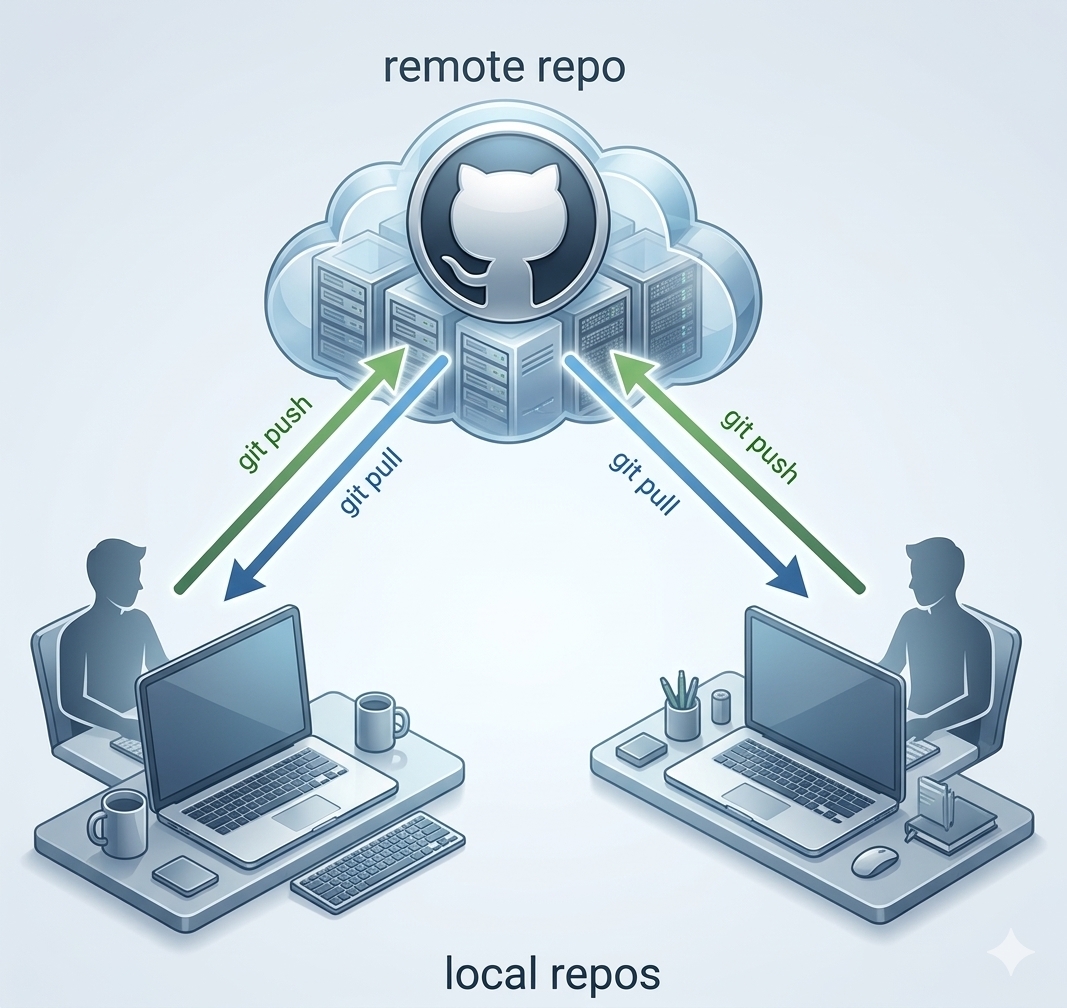
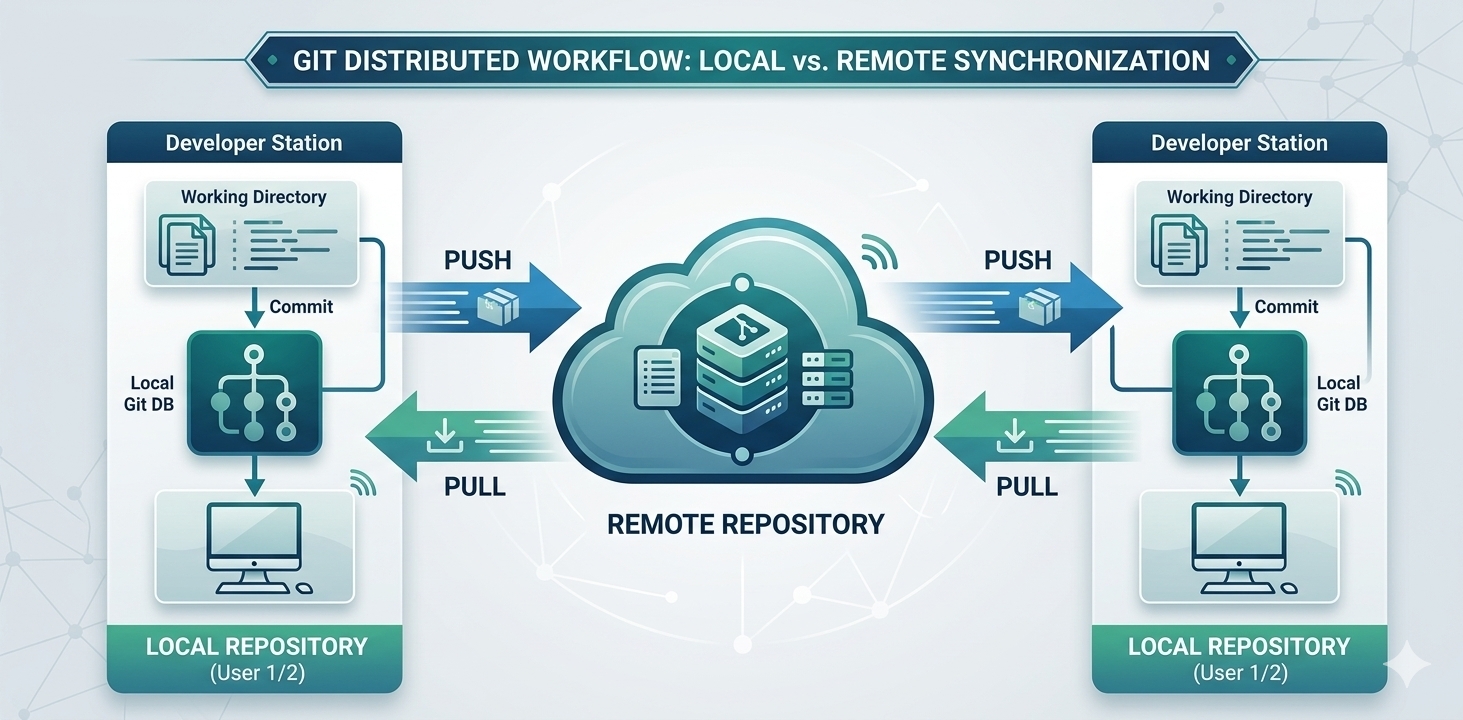
Local Repository: Lives entirely on your computer inside a hidden folder named .git. It contains the complete commit history, branches, and configuration files. You can commit, create branches, and view history completely offline.
-
Remote Repository:Hosted on a shared server or cloud platform (like GitHub, GitLab, or Bitbucket). It acts as a single source of truth for a development team, allowing members to back up code, open pull requests, and sync their local repositories.
2. Commits
A Git commit is a permanent snapshot of your project's staged changes, recorded into your local repository database with a unique ID, a timestamp, author details, and a descriptive message. Think of a commit as a save point in a video game that you can return to at any time, which also links back to all previous save points to form an unbroken chain of history.
3. Branches
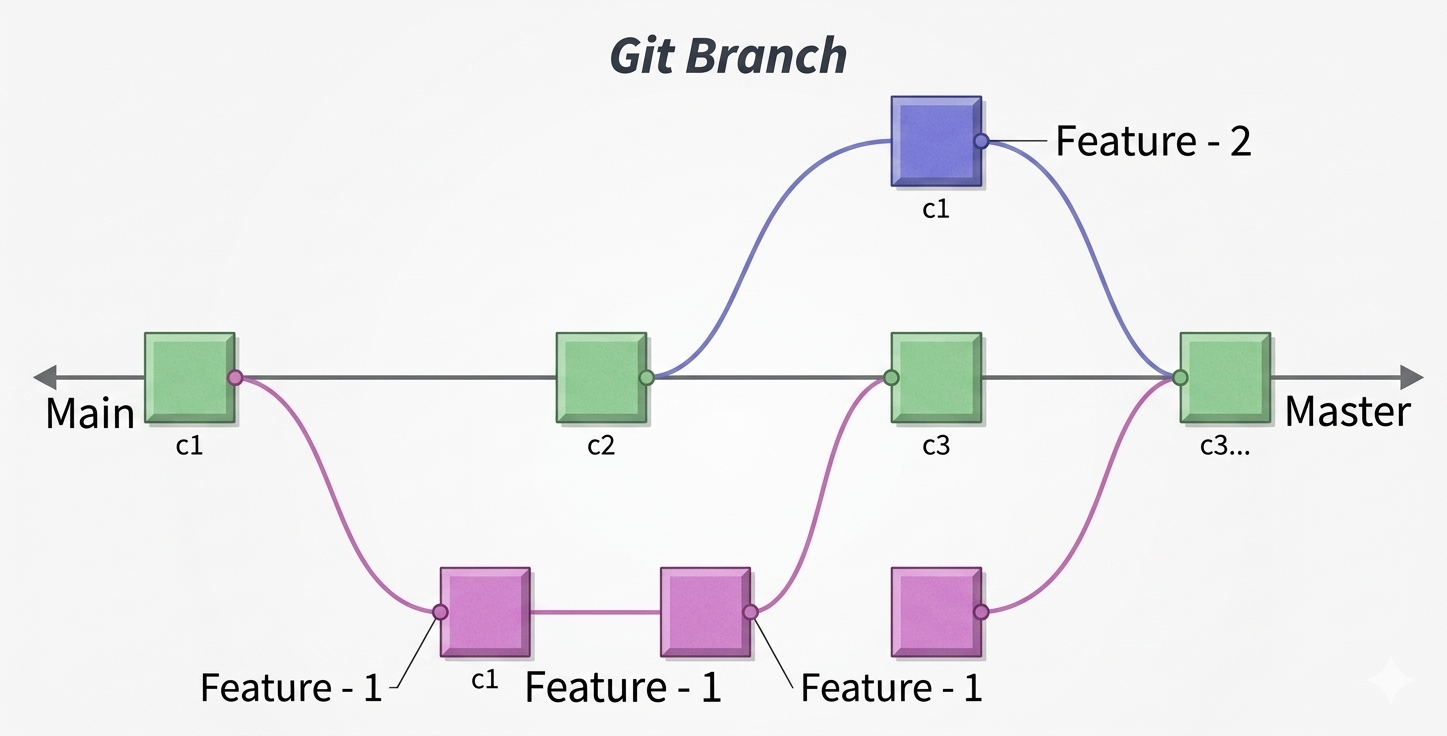
A Git branch is a lightweight, movable pointer to a specific commit that represents an independent line of development in your project.
4. Merging
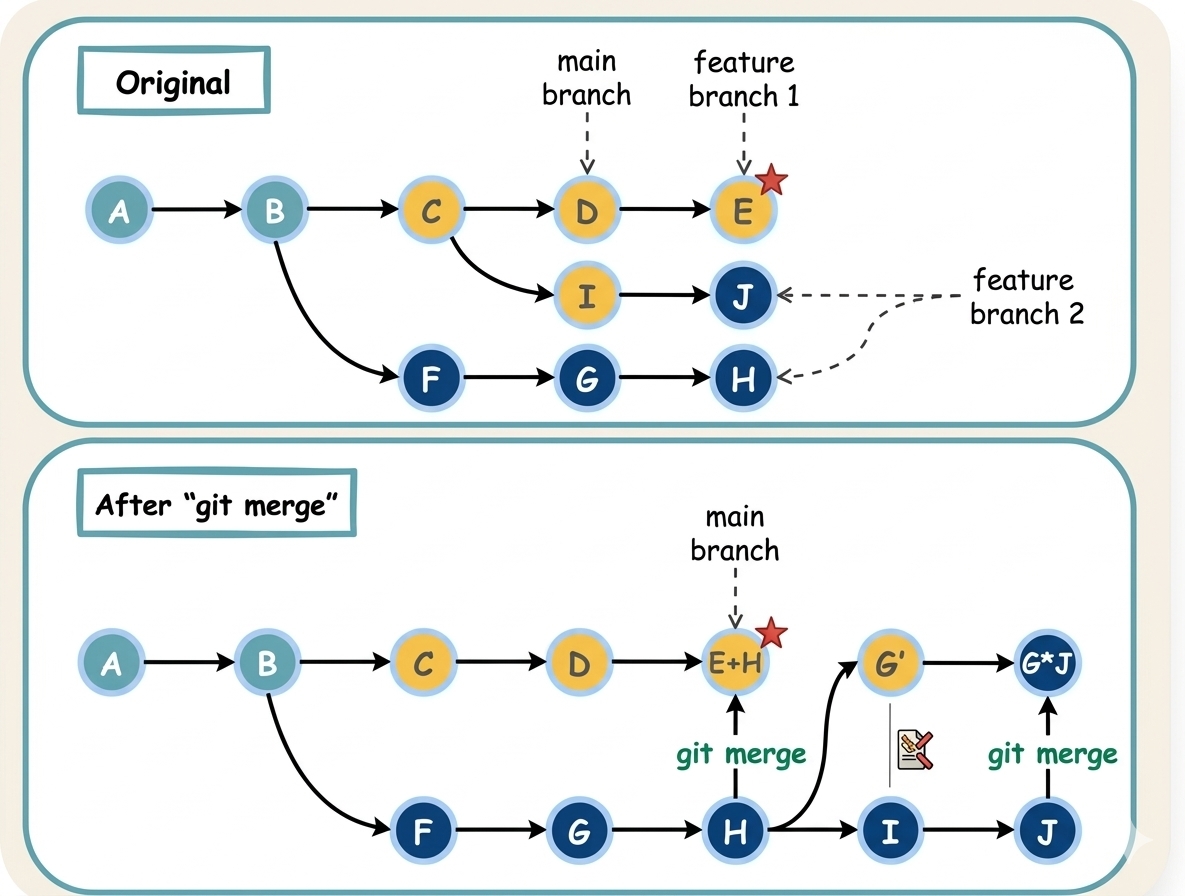
Git merging is the process of combining separate lines of development and bringing changes from one branch into another. It takes the independent history of a feature branch and unites it with your main production code.
5. Cloning
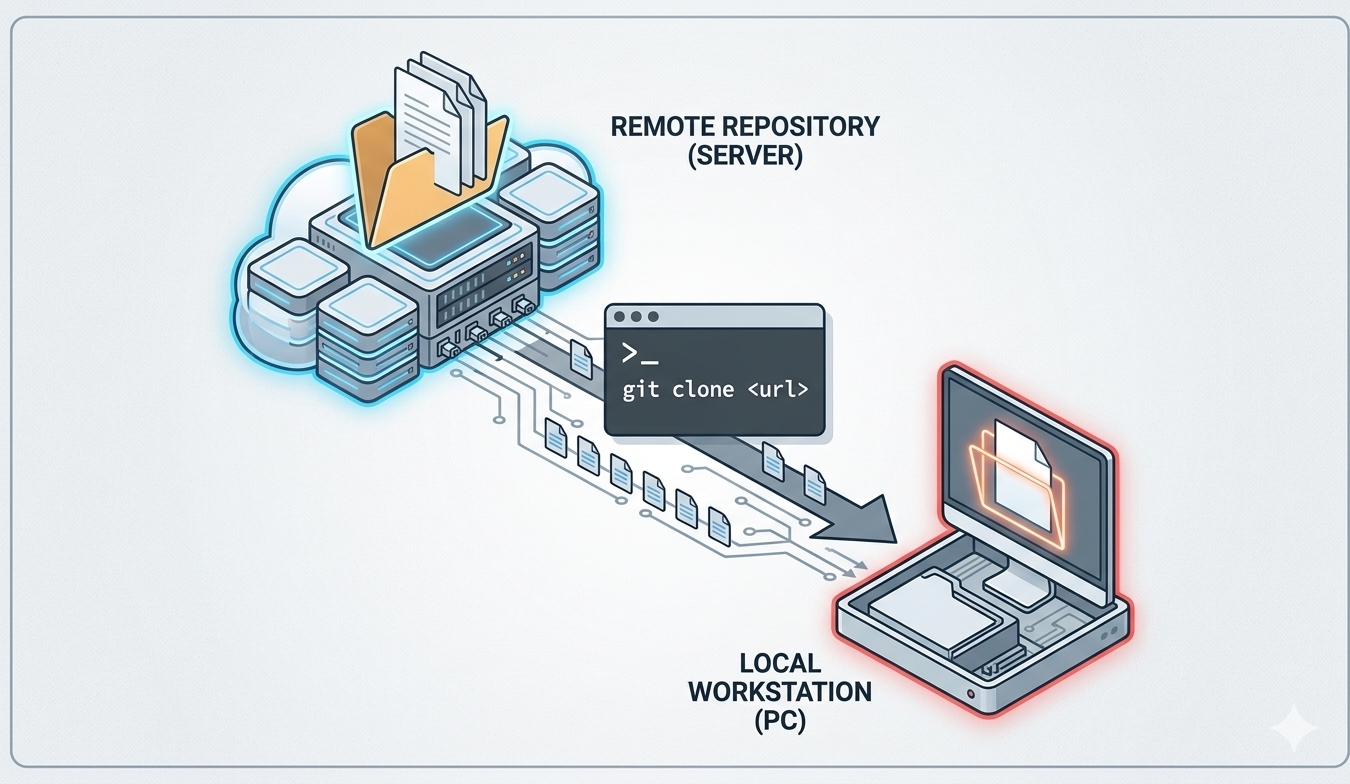
Cloning a GitHub repository creates a full, local copy of the remote project files on your computer, including its entire version history
6. Pull and Push
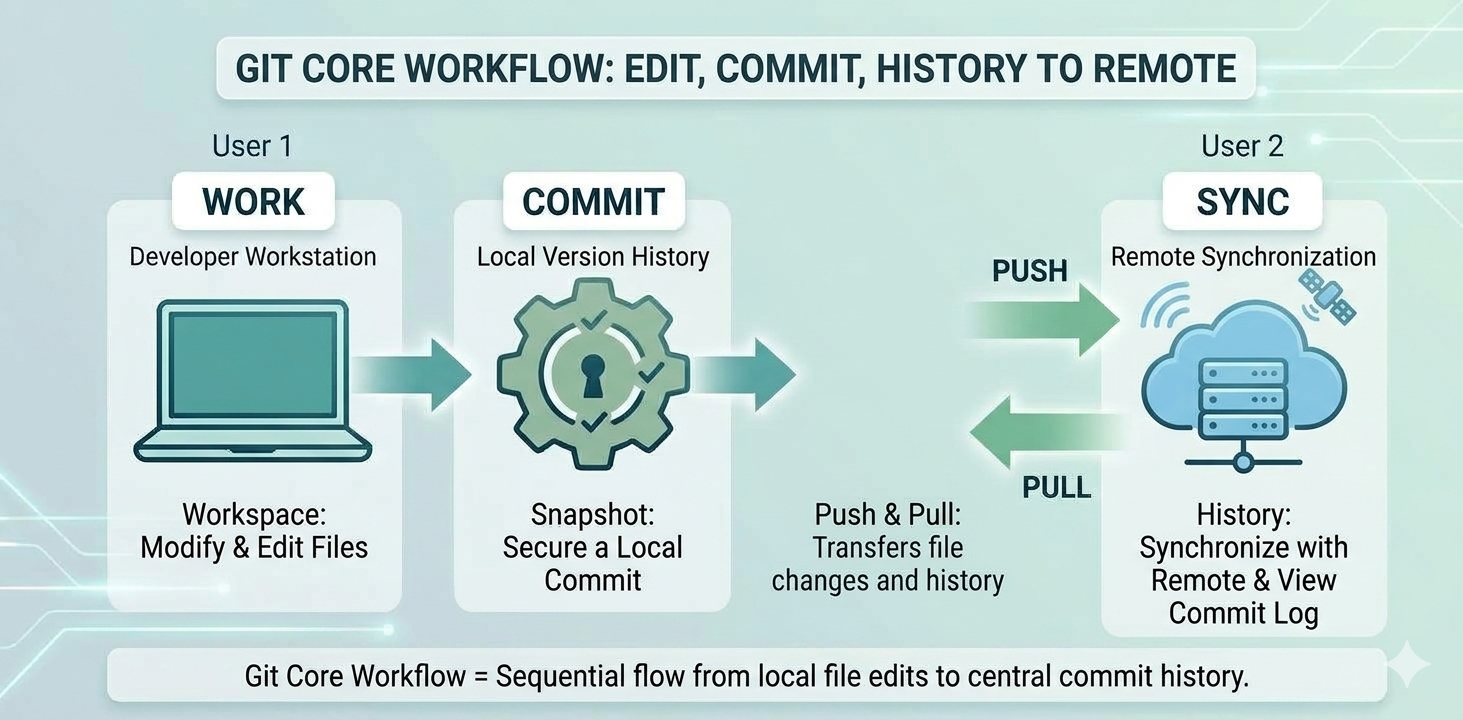
In Git, Push and Pull are the two primary commands used to synchronize your local work with a team's shared remote repository
Git Push (Uploading Your Changes)
When you push, you are sending your local, finalized commits from your computer up to the cloud repository
Git Pull (Downloading Team Changes)
When you pull, you are fetching the latest changes made by your team from the cloud repository and merging them straight into your local workspace.