What is Version Control?
Version control is a system that records changes to files over time so you can recall specific versions later
Simple Explaination
Imagine you are writing a complex Python script or an HTML page. You make some changes, and suddenly, the code breaks. You can't remember what you changed, and pressing Ctrl + Z isn't working anymore.
Version Control System (VCS) is like a time machine for your code. It is a software tool that tracks every single change made to your files over time. If you make a mistake, you can easily roll back the clock to a version that worked perfectly.
- Tracks and records changes to the codebase, maintaining a structured project history.
- Allows multiple developers to collaborate on the same project without overwriting each other's work.
- Developers access and update a central repository, where project files are stored.
- Enables teams to share updates and revert to earlier versions of the project when needed.
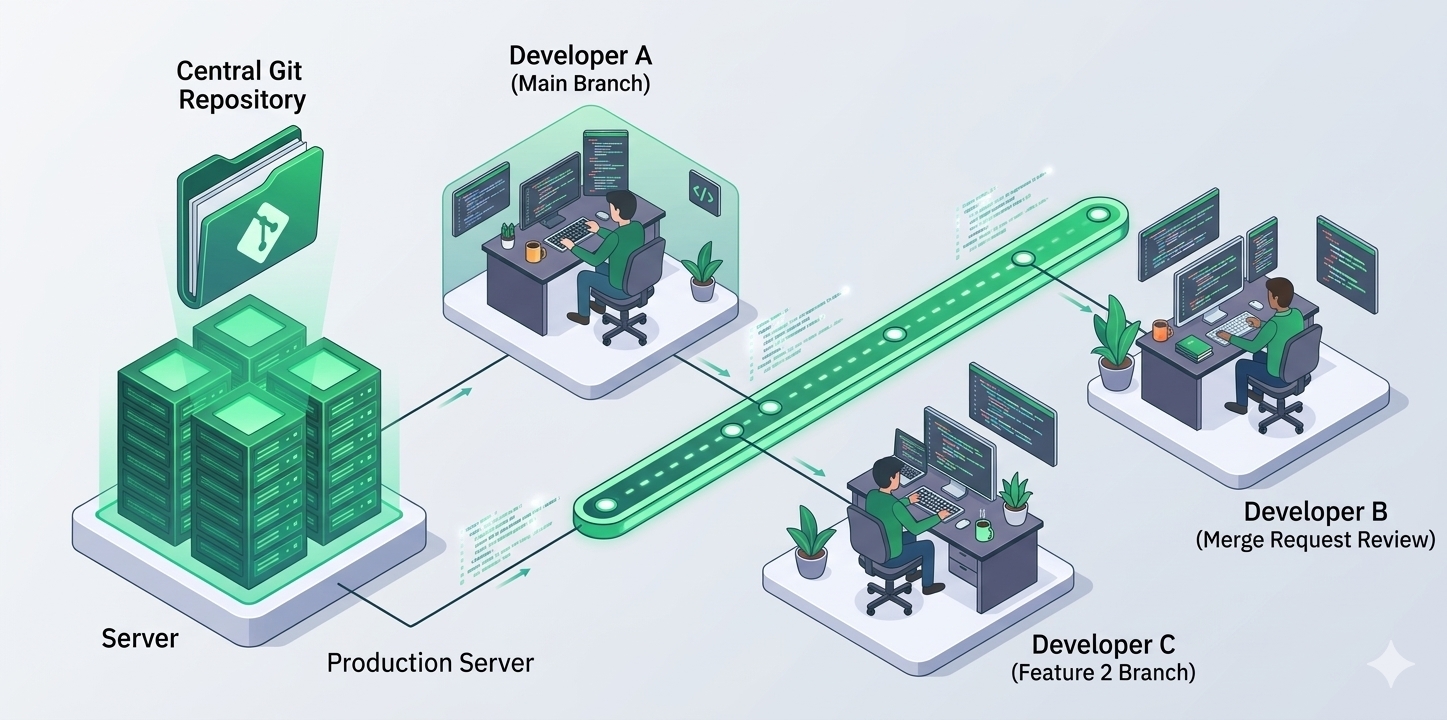
A Version Control System (VCS) manages and tracks changes to a codebase over time, allowing multiple people to collaborate seamlessly without losing work
Why Is Version Control Important?
The importance of version control cannot be overstated in a professional development environment. Without a structured system, developers often resort to manual backups, creating folders with names like project_v1 or project_final_v2. This manual method is prone to human error and lacks the granularity needed for complex software tasks.
A dedicated version control workflow provides a single source of truth for the entire codebase. It allows teams to experiment with new features in isolation and provides a reliable mechanism to revert to a previous state if a bug is introduced. Beyond just technical safety, it enhances team collaboration by providing visibility into who made what changes and why. This level of history tracking is essential for security, auditing, and maintaining high-quality software standards across large-scale systems.
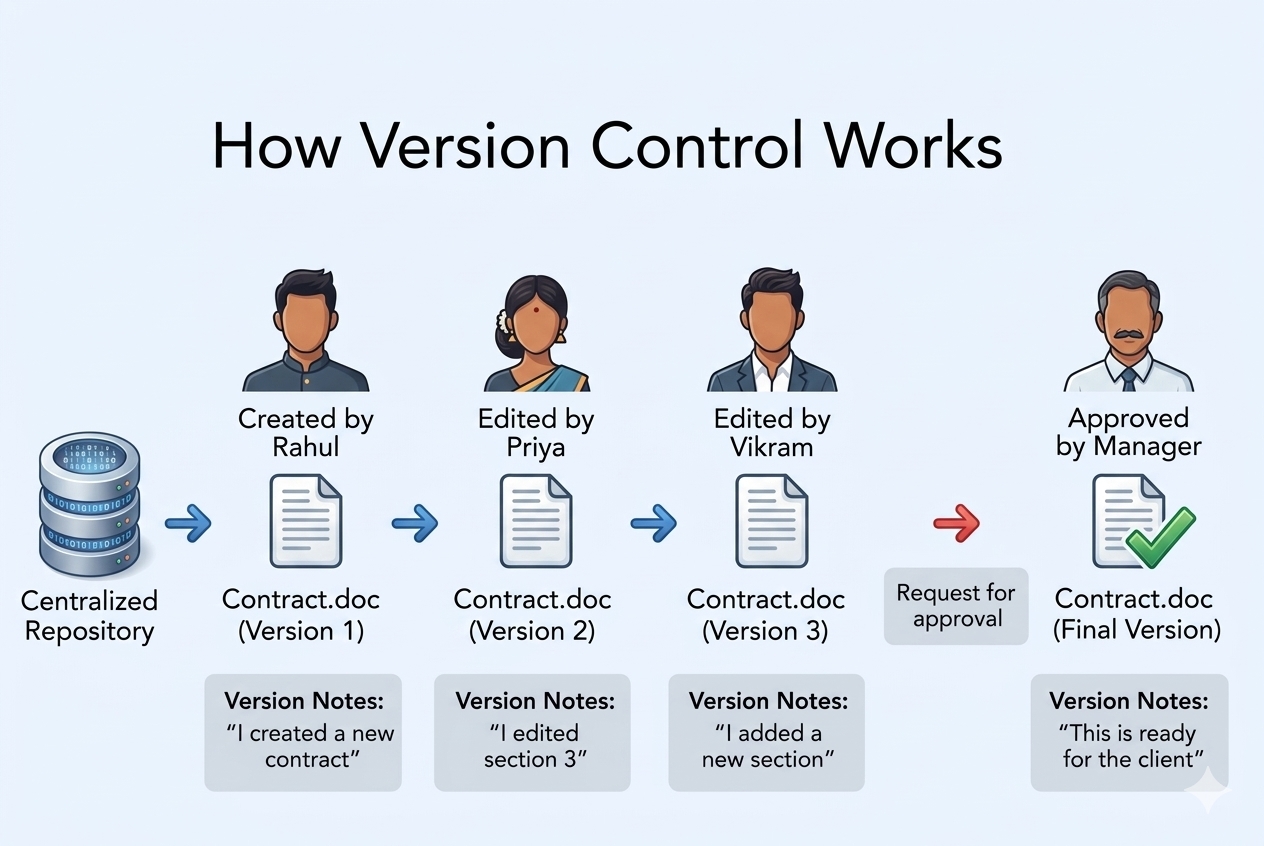
Key Components of Version Control
-
Repository (Repo): A central or local storage location that holds all project files, history, and metadata.
-
Working Directory: The local folder on your computer where you actively write and edit project files.
-
Commit: A saved snapshot of your project at a specific point in time, paired with a message describing the update.
-
Branch: An independent line of development used to build features or fix bugs safely away from the main code.
-
Merge: The action of combining changes from one branch into another.
-
Conflict: An issue that happens when two people edit the exact same line of code differently, requiring manual fixing.
-
Tag: A label used to mark important events, such as a final software release version.
-
Clone: Making a full copy of a remote repository and its history onto your local machine.
Types of Version Control Systems
Version control systems generally fall into three main types: Local, Centralized (CVCS), and Distributed (DVCS).
1. Local Version Control Systems
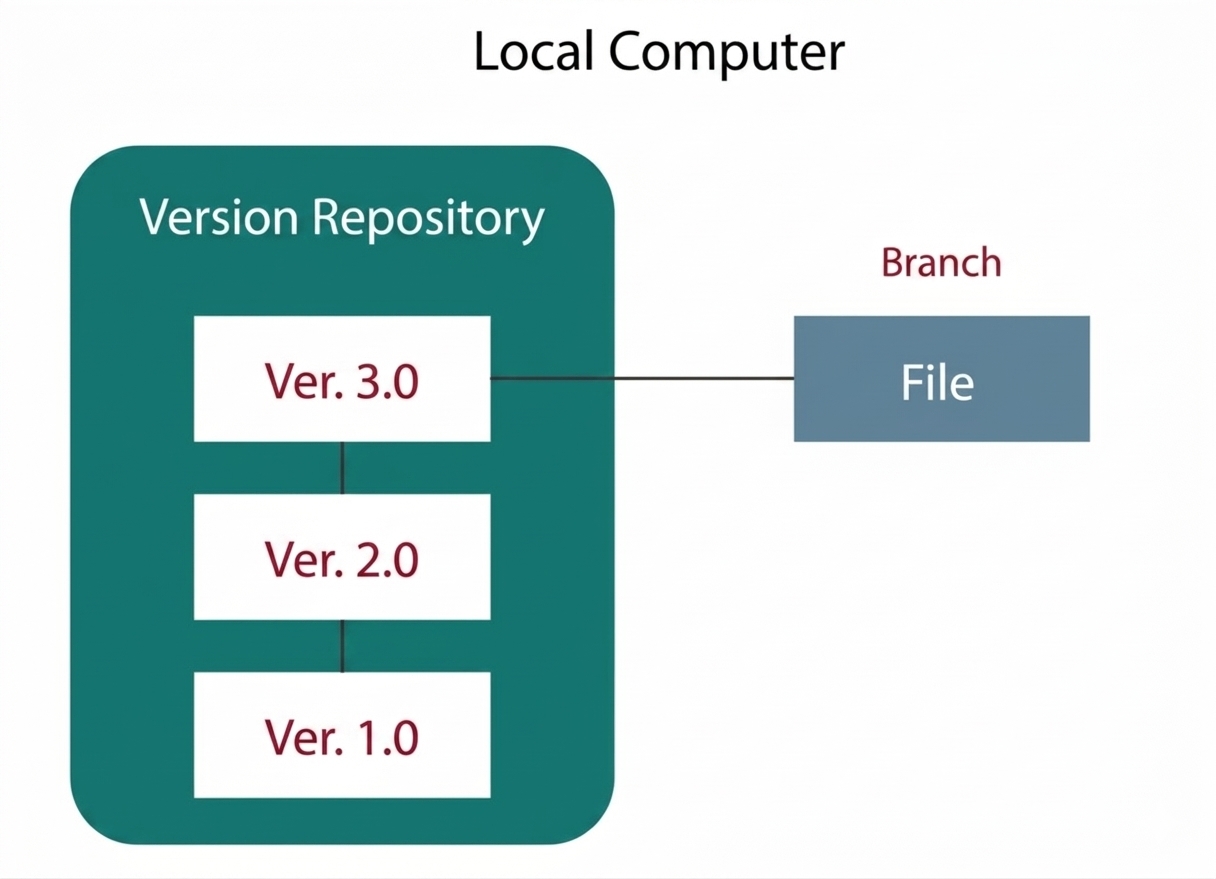
This is the simplest and oldest form of version control. It stores file changes as simple database patches on the user's single local computer.
How it works: It uses a simple database on your local hard drive to record every change made to a file
Pros: Very simple to use; does not require an internet connection or server setup
Cons: No way to collaborate with others. If the local hard drive fails or becomes corrupted, the entire project history is permanently lost.
Examples: RCS (Revision Control System), or saving files manually with suffixes like v1.0, v2.0, _final
2. Centralized Version Control System
The developers need to collaborate with other developers on other systems, and the localized version control system failed in this case. To overcome this problem, Centralized Version Control Systems were developed.
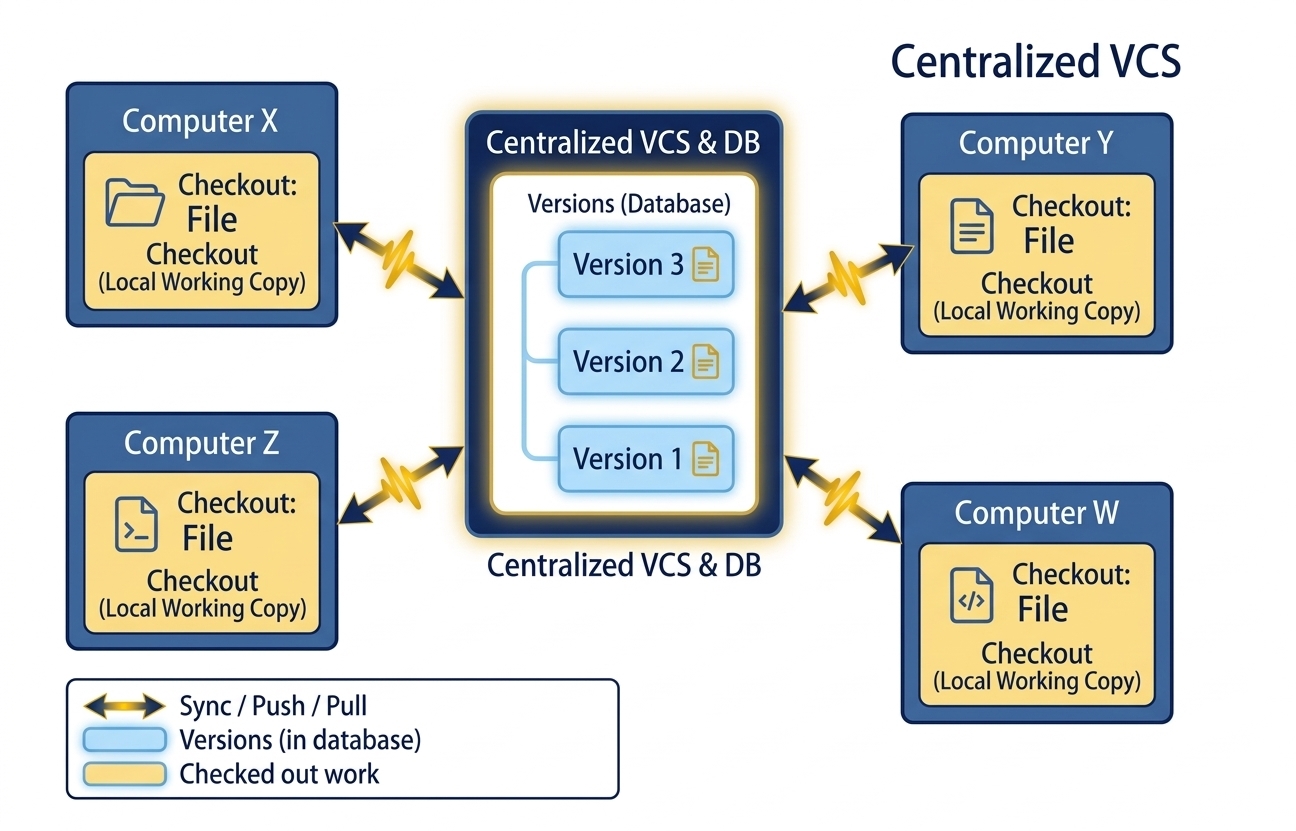
A Centralized VCS relies on a single central server to hold the master copy of the files and their entire version history
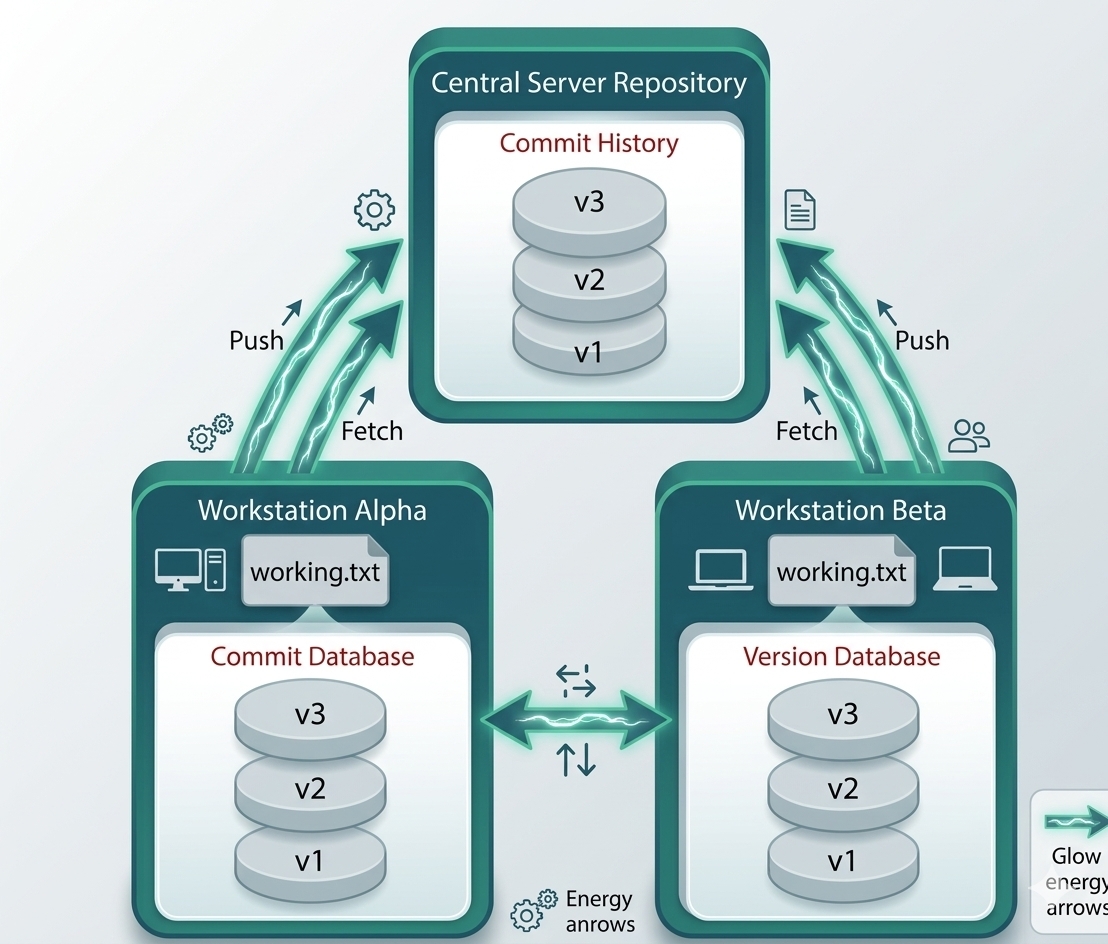
These systems have a single server containing the versioned files, and some clients can check out files from a central place.
How it works: Developers "check out" only the specific files they need to work on from the main server, make edits locally, and commit them directly back to the central server.
Pros: Easier to manage administrator permissions; everyone on the team always knows what everyone else is working on.
Cons: It features a single point of failure. If the central server goes down, no one can save new versions, collaborate, or roll back changes.
Examples: CVS (Concurrent Versions System), Perforce Helix Core,Apache Subversion (SVN).
- Everyone on the system will have information about the work that others are doing on the project.
- Administrators have control over other developers.
- It will be easy to deal with a centralized version control system than a localized version control system
It also has the same drawback that it also has a single point of failure.
3. Distributed Version Control System
Centralized Version Control System use a central server to store the entire database and team collaboration. However, because of single-point failure, which means the failure of the central server, developers do not prefer it. Therefore, the Distributed Version Control System is developed.
In a Distributed Version Control System (like Git, Mercurial, Bazaar, or Darcs), the user has a local copy of a repository. Therefore, the clients do not just check out the latest snapshots of the files, even if they can fully mirror the repository. The local repository comprises of all the files and metadata present in the main repository.
How it works: Developers commit changes to their own local repository offline. When they are ready and connected to the network, they "push" their changes to a shared remote server (like GitHub) to sync with the rest of the team.
Pros: Developers commit changes to their own local repository offline. When they are ready and connected to the network, they "push" their changes to a shared remote server (like GitHub) to sync with the rest of the team.
Cons: Developers commit changes to their own local repository offline. When they are ready and connected to the network, they "push" their changes to a shared remote server (like GitHub) to sync with the rest of the team.
Cons: The initial download (cloning) of a project can take longer and use more disk space because you are downloading the entire project history.
Summary
The Java Stream API provides a powerful way to process collections and other data sources using declarative pipelines. Important operations include filter, map, flatMap, distinct, sorted, limit, skip, reduce, collect, groupingBy, matching operations, and primitive streams.